ChatGPT Images 2.6
Animated GIFs, SVGs and images from a prompt, in ChatGPT or the API.
Verdict
Short looping GIFs that are good enough to post. The app is easier to use; the API gives exact frames and more accurate charts.
Best for
Short looping GIFs for posts, slides and mockups
Skip it if
You need long, high-resolution animation or exact data
What sings
- Text stayed correctly spelled in every frame of every café sign we generated
- The ChatGPT app follows frame counts written in plain words and accepts a reference image
- The API gives exact frame counts and timing, a fixed 512 px size and a predictable price
- API charts matched their labels closely, within 0.2 units on Sunburst
What stings
- Small outputs: 249 to 439 px in the app, 512 px from the API
- The API stops at 16 frames, although OpenAI's guide says 64
- The app does not show which model it used, and Free plan access is unconfirmed
- SVG output is live text in a system font, not a usable logo file
The full review
On November 4, OpenAI added animated GIFs to ChatGPT with ChatGPT Images 2.6, and released two image models for developers, GPT-Image-2.6 Flare (for fast iteration) and GPT-Image-2.6 Sunburst (for detailed work). Our news report covers the announcement. This review covers what happened when we used it.
On November 5 we ran the same seven prompts twice: in the ChatGPT app on a Plus plan in a web browser, and through OpenAI's API on both Flare and Sunburst. Every result is shown below, side by side: the app first, then Flare, then Sunburst. Each caption gives the measured frame count, frame timing and width. Measurements and opinions are kept separate.
This is a small test: one run per prompt on each surface. Treat the results as a first look, not a benchmark.
Text across frames: the best result
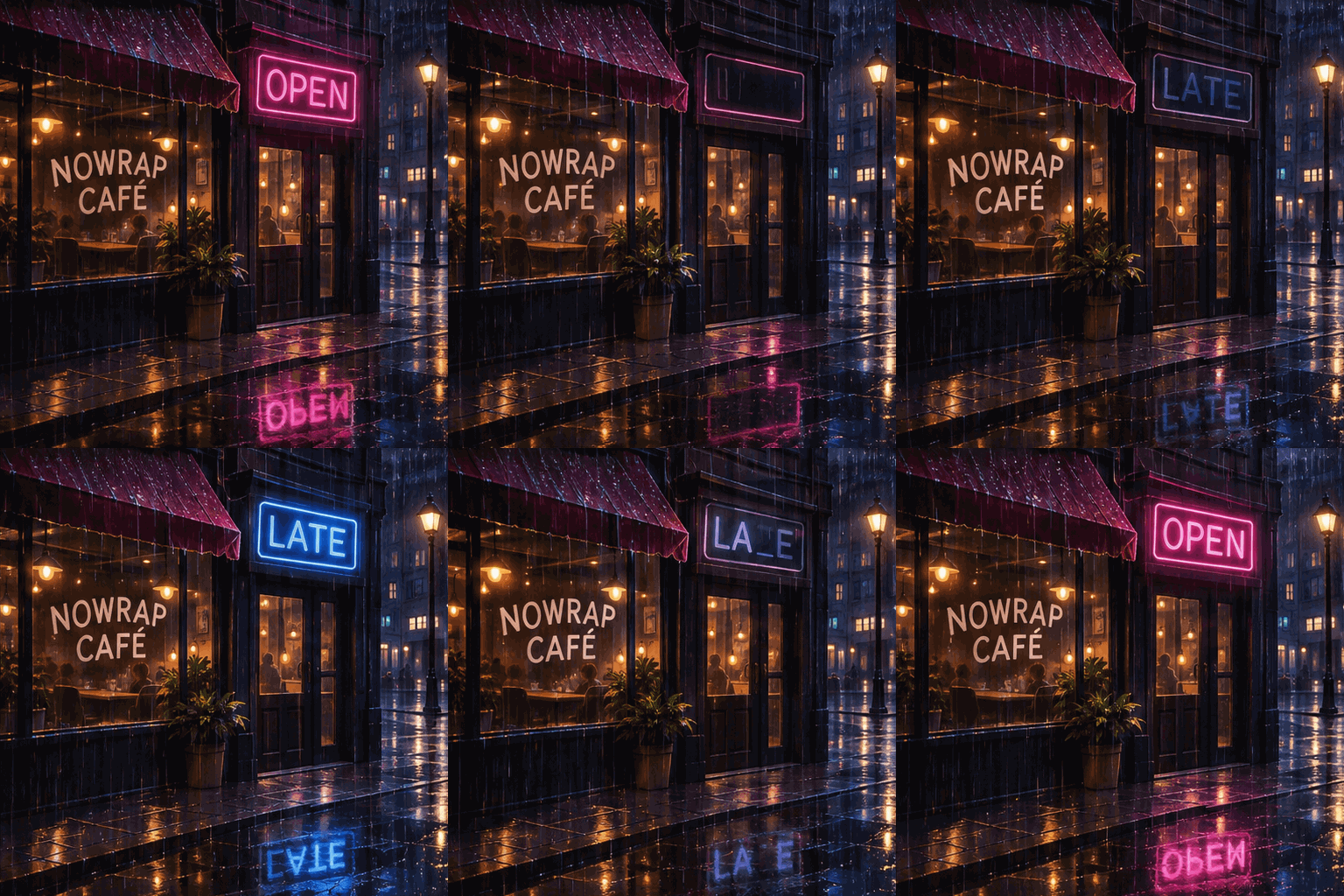
We asked for a rainy café whose neon sign flickers between "OPEN" and "LATE", with the name "NOWRAP CAFÉ" painted on the window "spelled exactly, in every frame." Text is where image models usually fail.
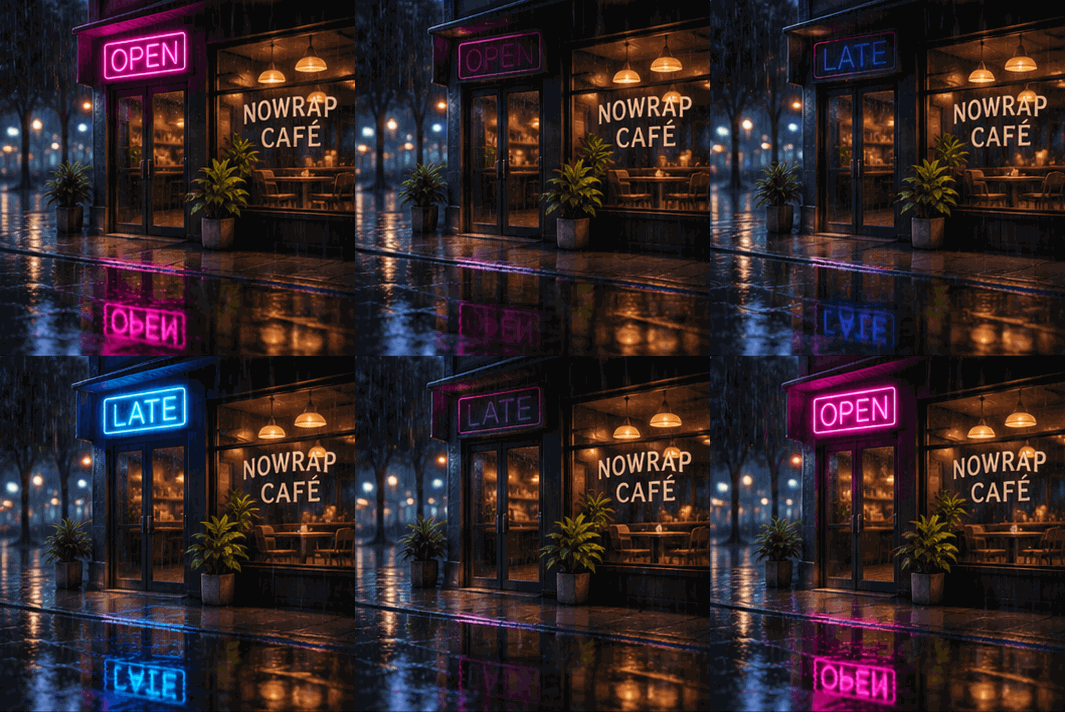
12 × 180 ms, 355 px
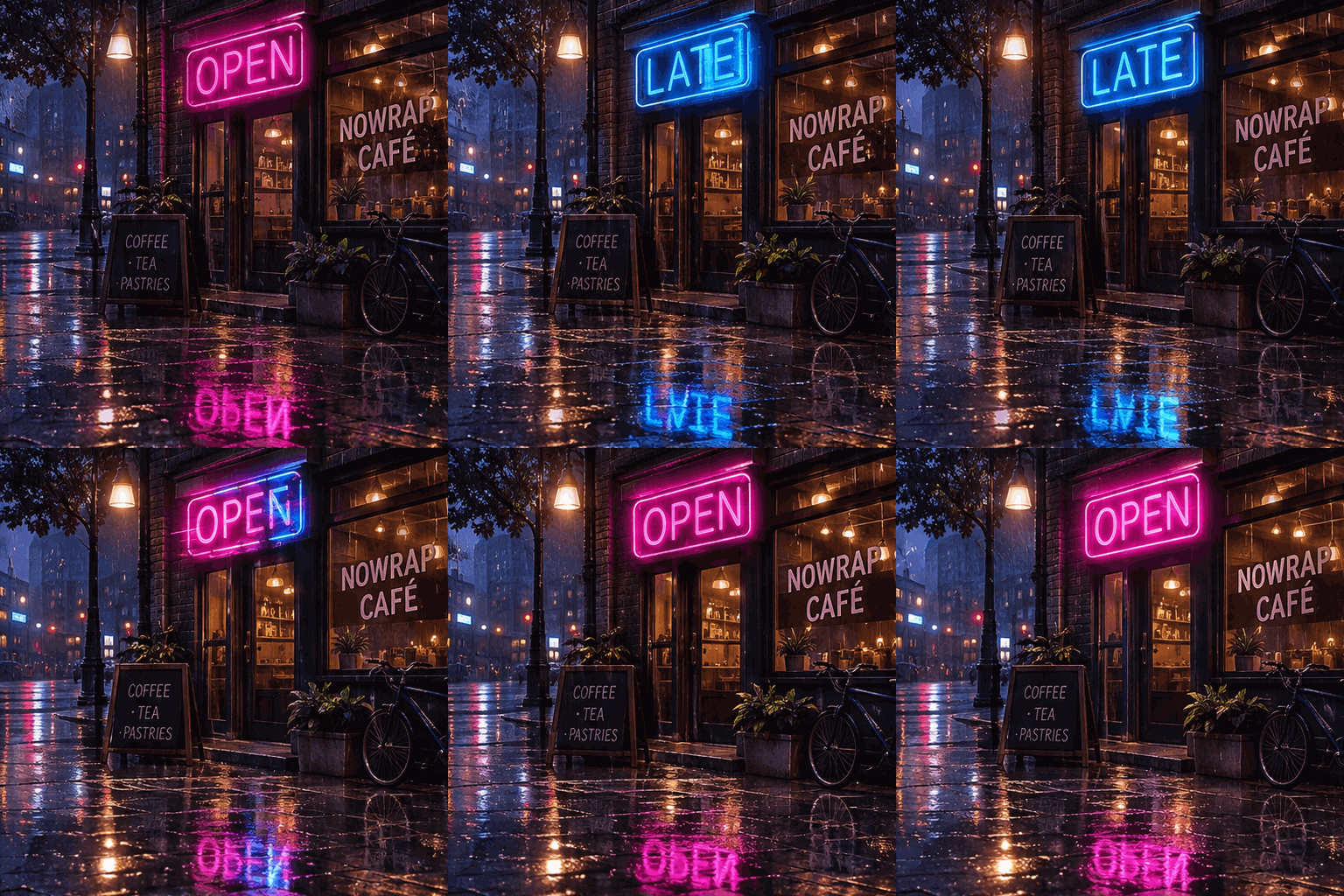
9 × 200 ms, 512 px
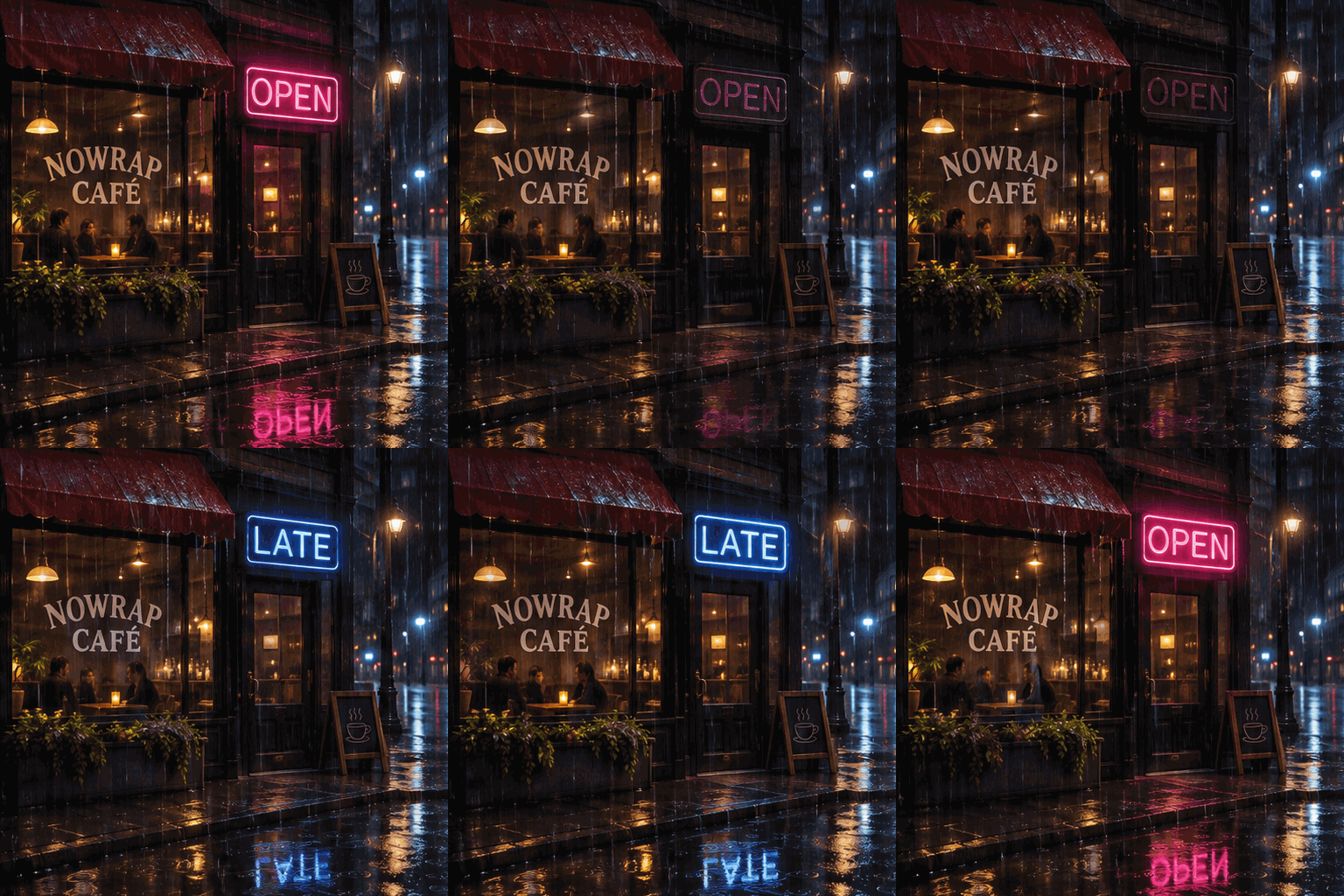
9 × 200 ms, 512 px
What we measured. "NOWRAP CAFÉ", accent included, was spelled correctly in every frame of every version: the app's 12 frames, and all 9 frames of each API run, on both models and both complexity settings.
Our judgment. The app and Sunburst produced clean alternation between pink OPEN and blue LATE. Flare showed both words overlaid in three of its nine frames, which looks muddy when paused, and it added a "COFFEE · TEA · PASTRIES" board we did not ask for. Its puddle reflections also turn the words into garbled letters.
We also ran this prompt with the API's complexity setting at low (the default is high). Flare's sign then alternated cleanly. Sunburst's flickered into partial words such as "OP_N".
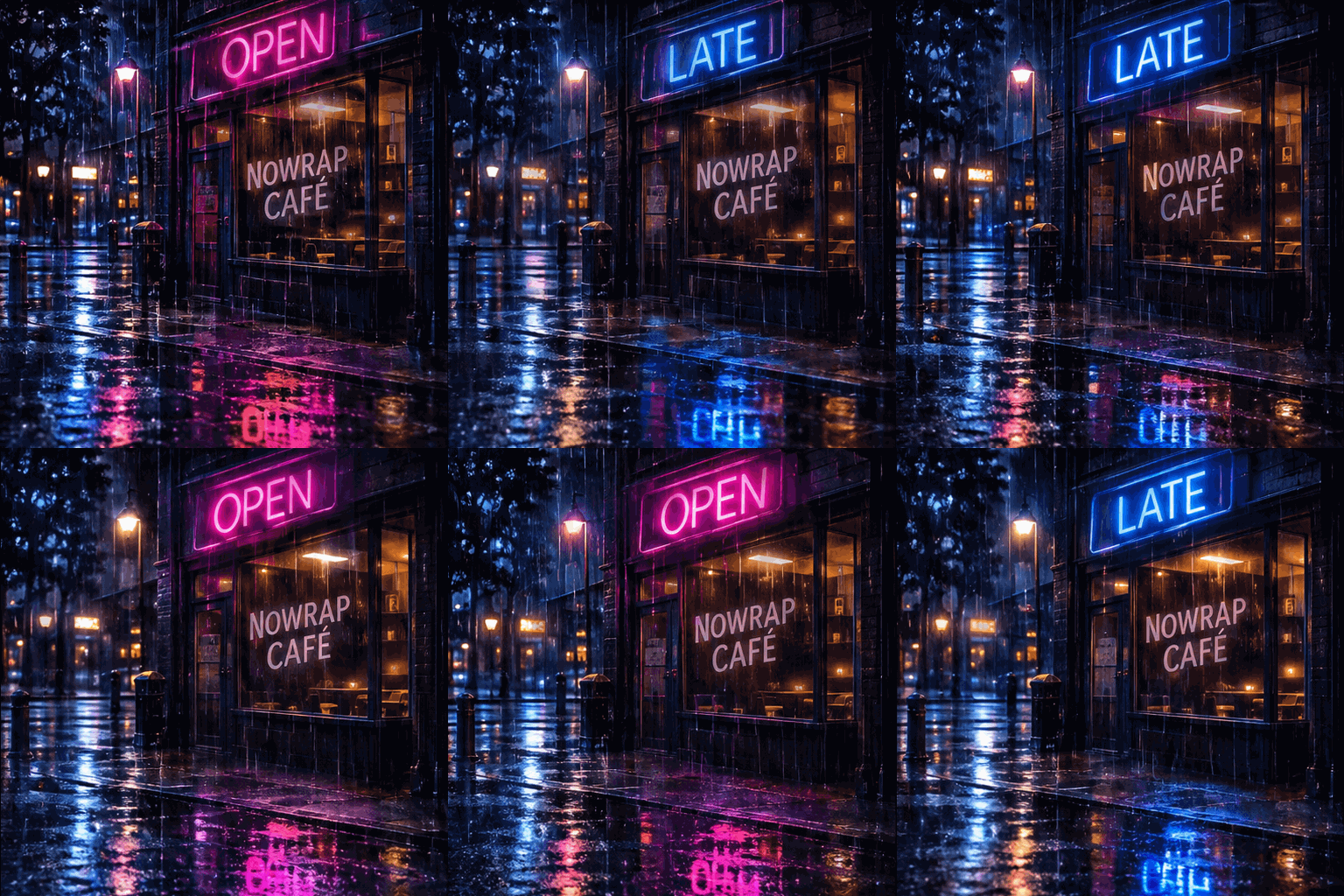
9 × 200 ms, 512 px
9 × 200 ms, 512 px
Charts: good-looking, not quite accurate
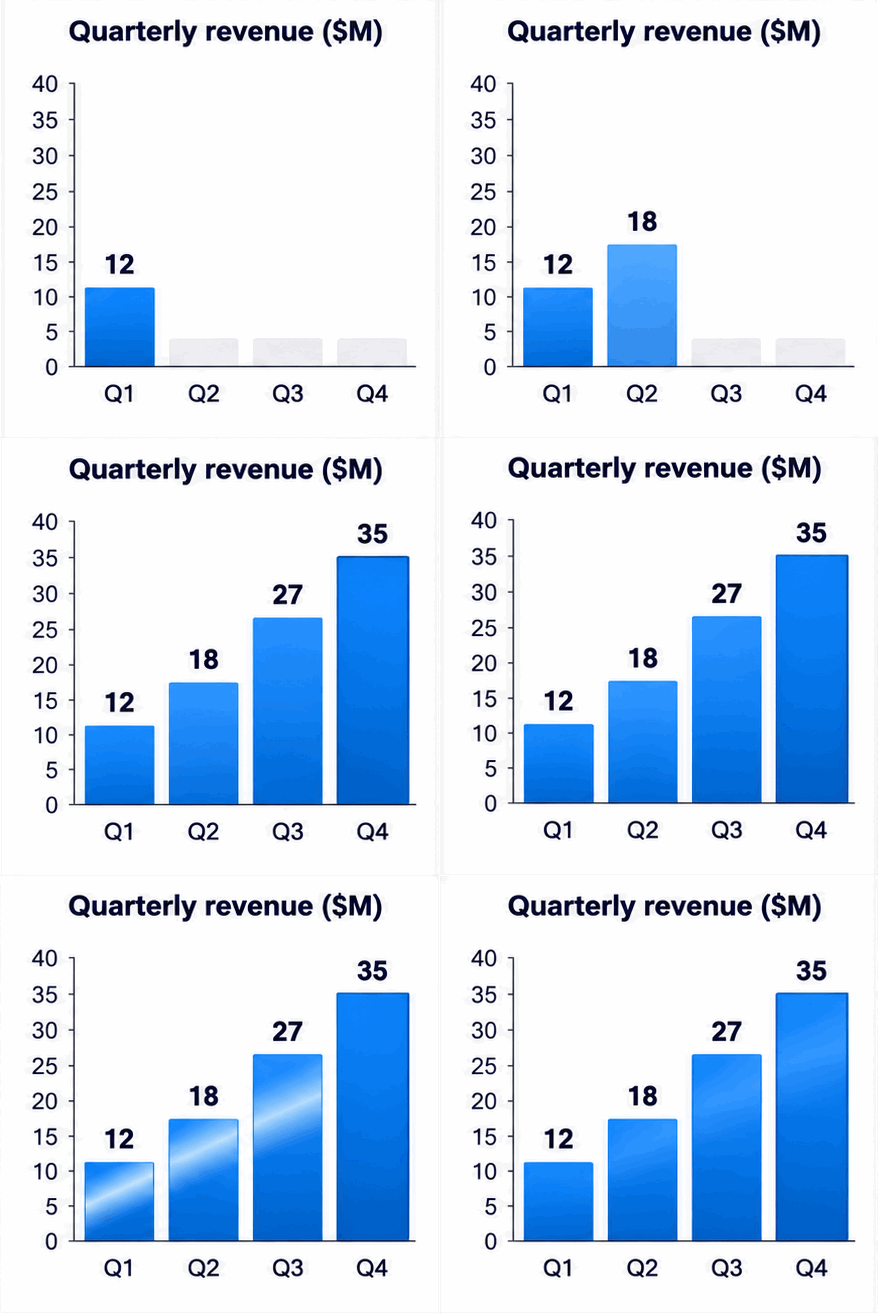
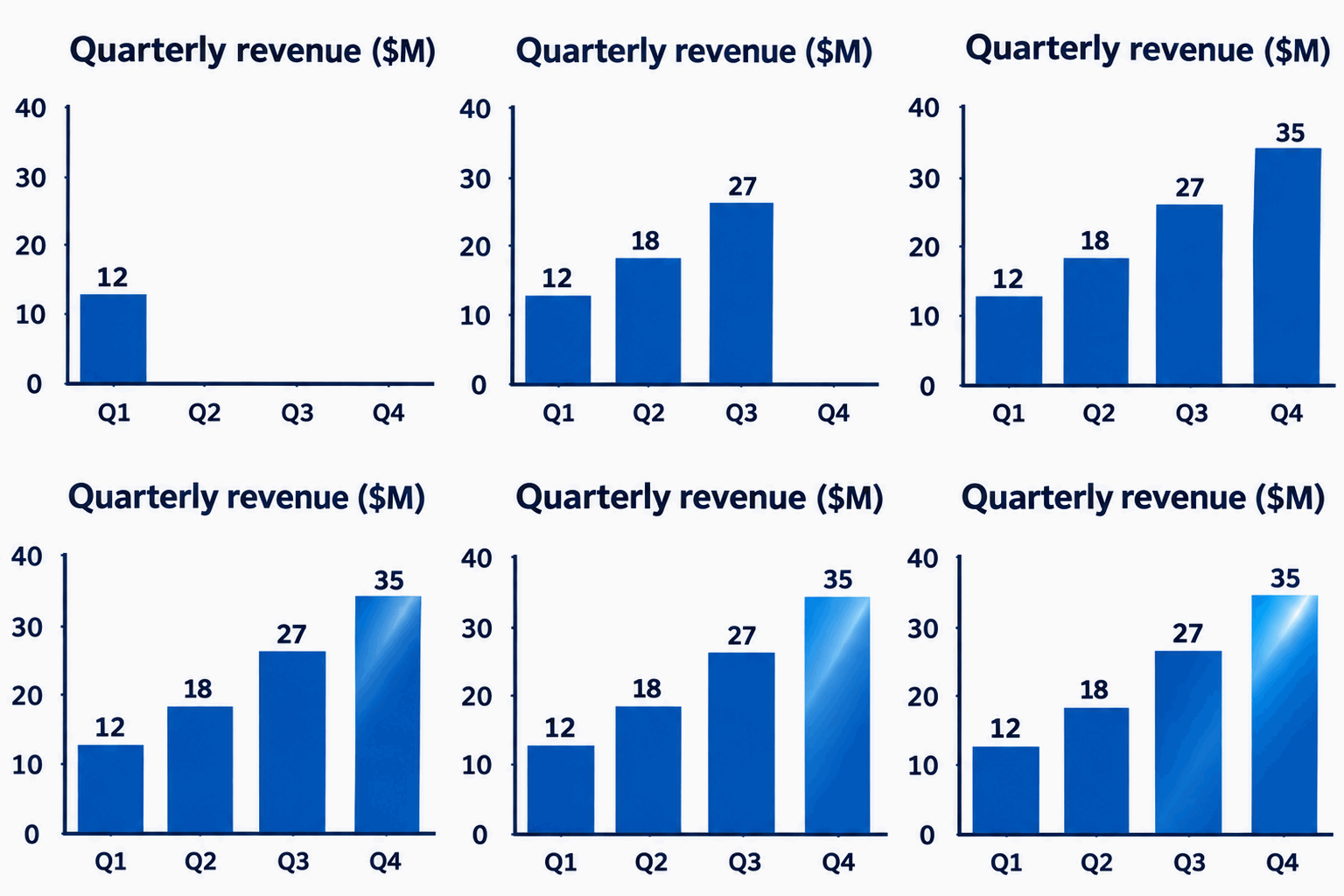
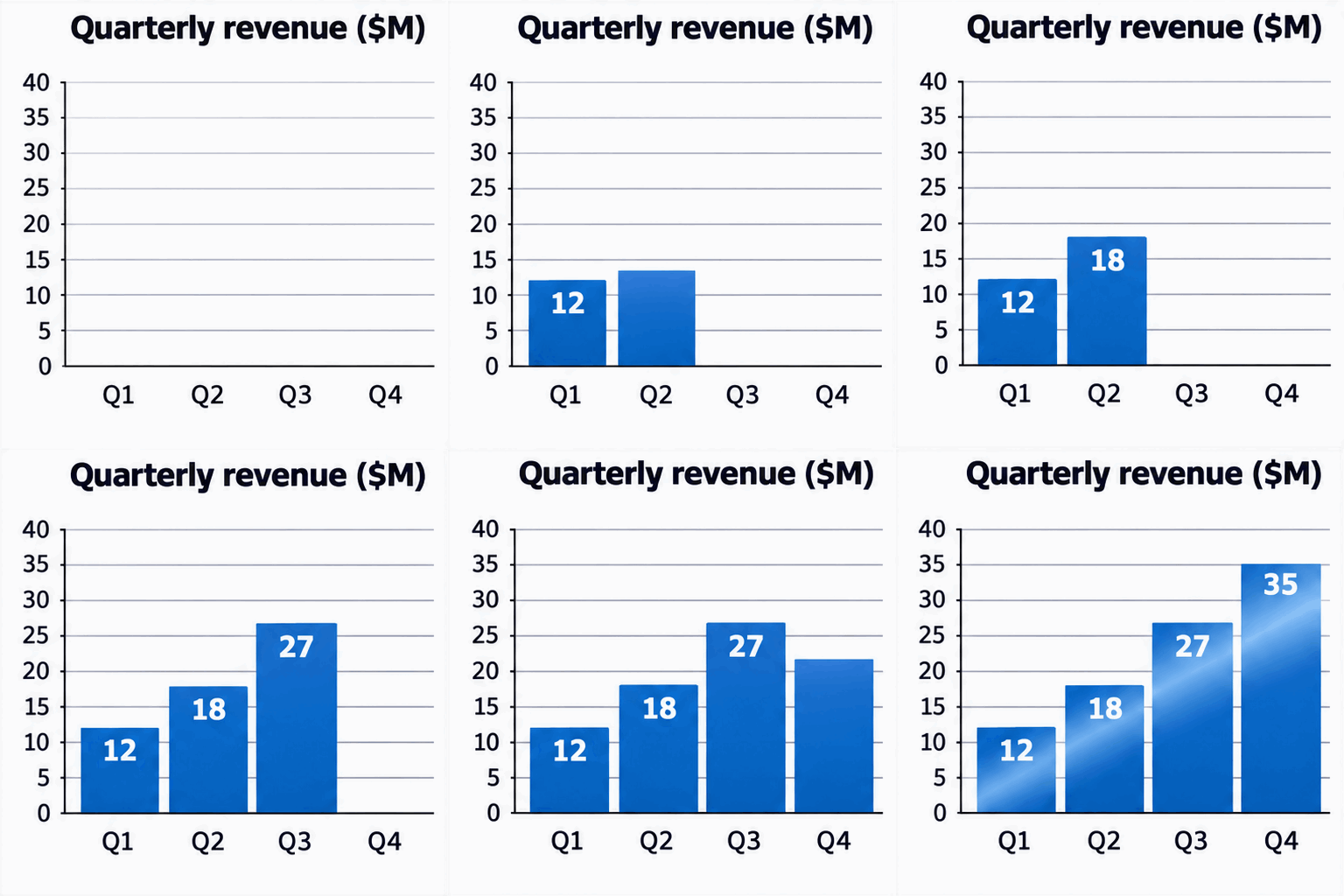
We asked for a bar chart titled "Quarterly revenue ($M)" growing in four steps, with bars labelled Q1 12, Q2 18, Q3 27 and Q4 35, and "each bar's height matching its number."
8 × 350 ms, 439 px
9 × 200 ms, 512 px
9 × 200 ms, 512 px
What we measured. We read each bar's height in the final frame against the chart's own axis:
| Bar (label) | ChatGPT app | API Flare | API Sunburst |
|---|---|---|---|
| Q1 (12) | about 11 | 12.7 | 12.1 |
| Q2 (18) | about 17 | 18.3 | 18.0 |
| Q3 (27) | about 26 | 26.5 | 26.8 |
| Q4 (35) | 35 | 34.5 | 35.0 |
Our judgment. All three labelled the bars correctly and look presentable. The app's bars sit about one unit short of their labels, and it added grey placeholder bars for quarters not yet shown, which a reader could mistake for data. Sunburst was the most accurate, but it grows bars through unlabelled in-between heights. Use these for illustration. Do not ask anyone to read numbers off them.
Frame control: the app listens to words, the API to settings
Our control prompt asked for "a simple 24-frame GIF of a bouncing ball, each frame 100 ms."
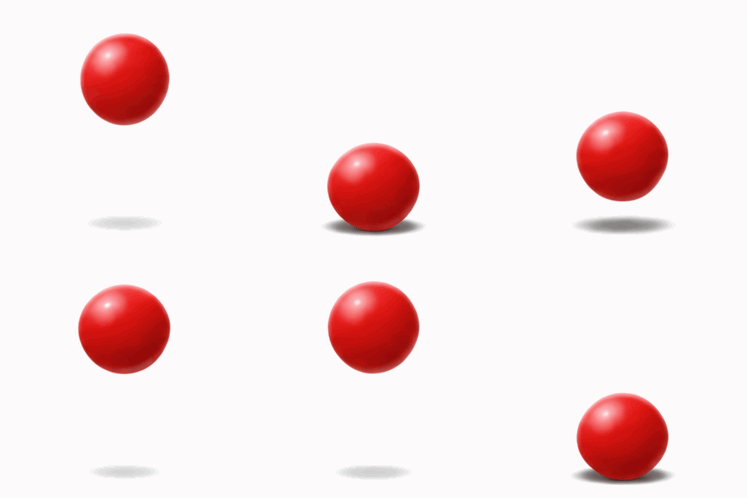
24 × 100 ms, 249 px
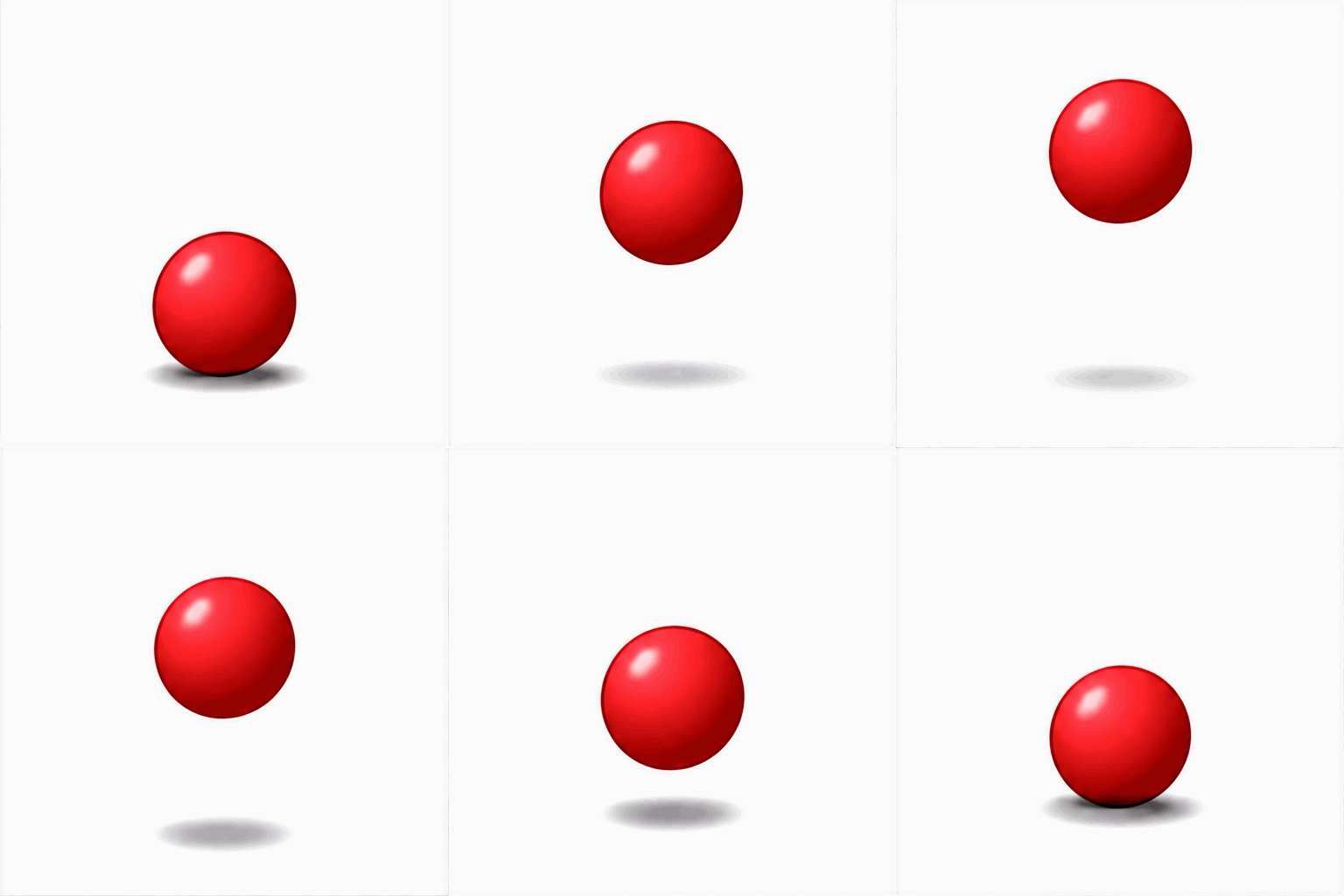
9 × 200 ms, 512 px
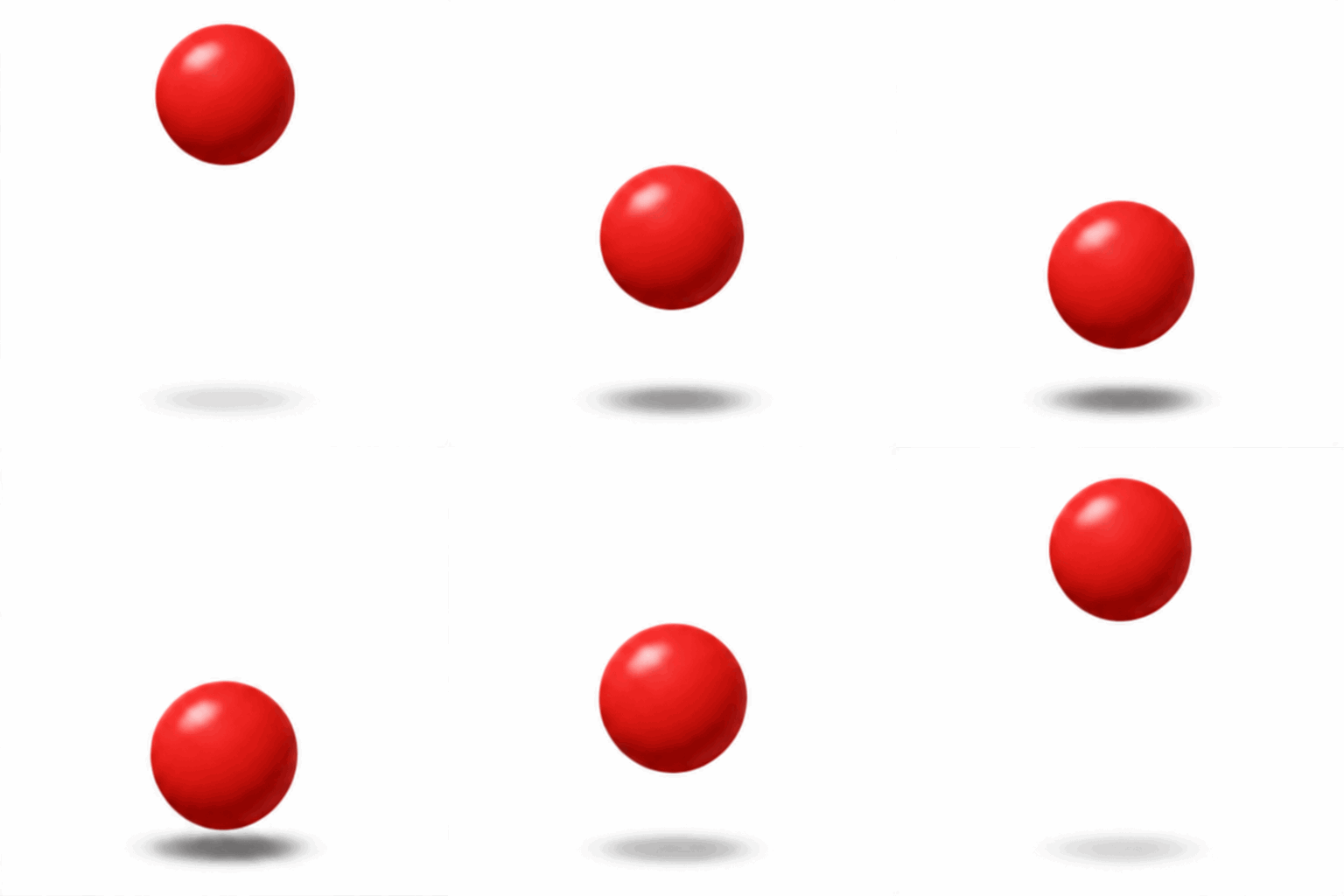
9 × 200 ms, 512 px
What we measured.
- The app returned exactly 24 frames at 100 ms each. For our other prompts it chose 8 to 12 frames at 150 to 350 ms on its own.
- The API ignored "24-frame … 100 ms" in the prompt text and used its defaults of 9 frames at 200 ms. You have to set
frame_countandframe_duration_msas parameters, and it then hits those values exactly. - The API refused more than 16 frames. Requests for 24 and 48 frames failed on both models with the error: "Invalid 'frame_count' for GIF output. Received 24. Use an integer from 2 to 16, or omit 'frame_count' to use 9." OpenAI's image generation guide says 2 to 64. The API reference agrees with the error, not the guide.
So we set 16 frames at 100 ms instead:
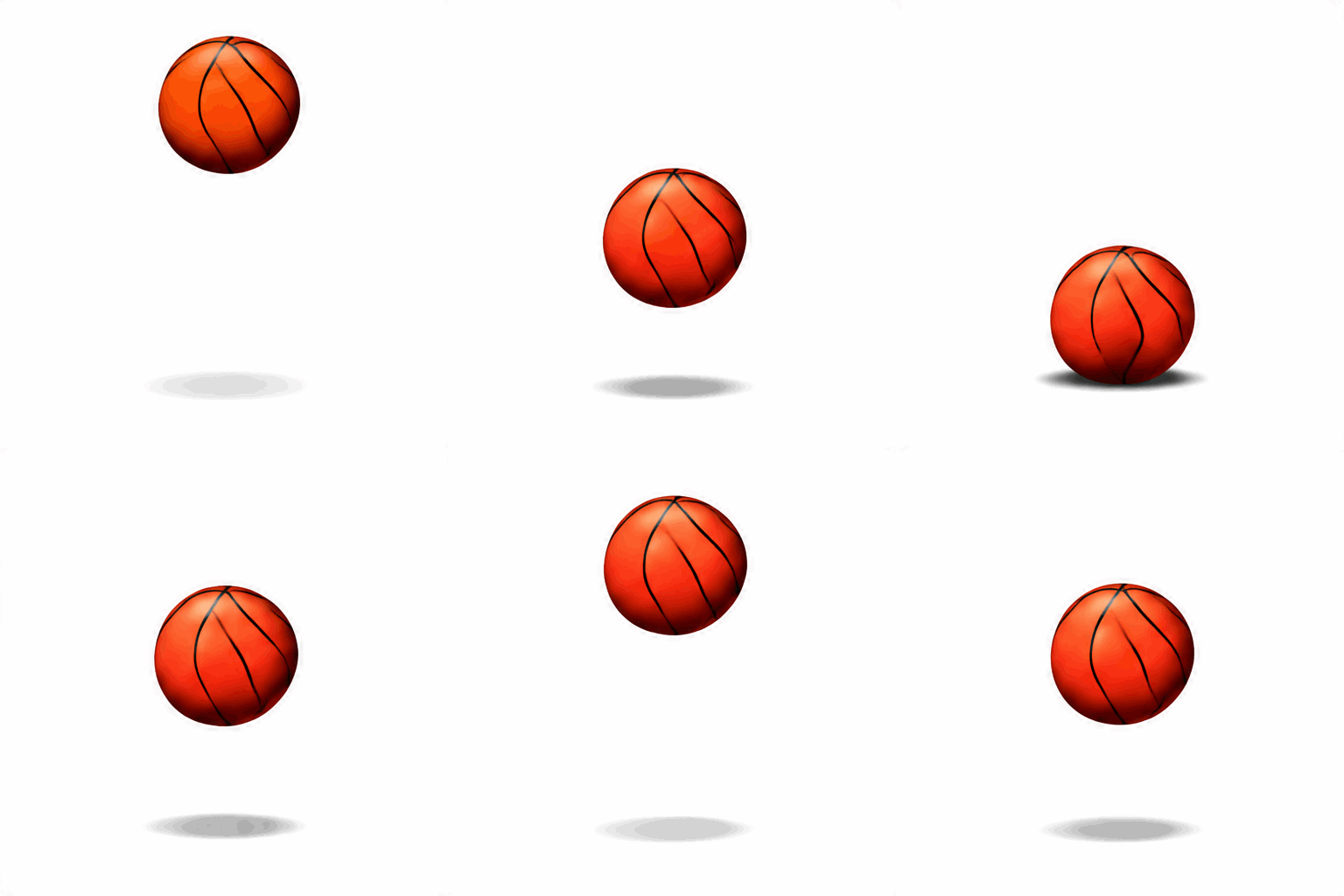
16 × 100 ms, 512 px
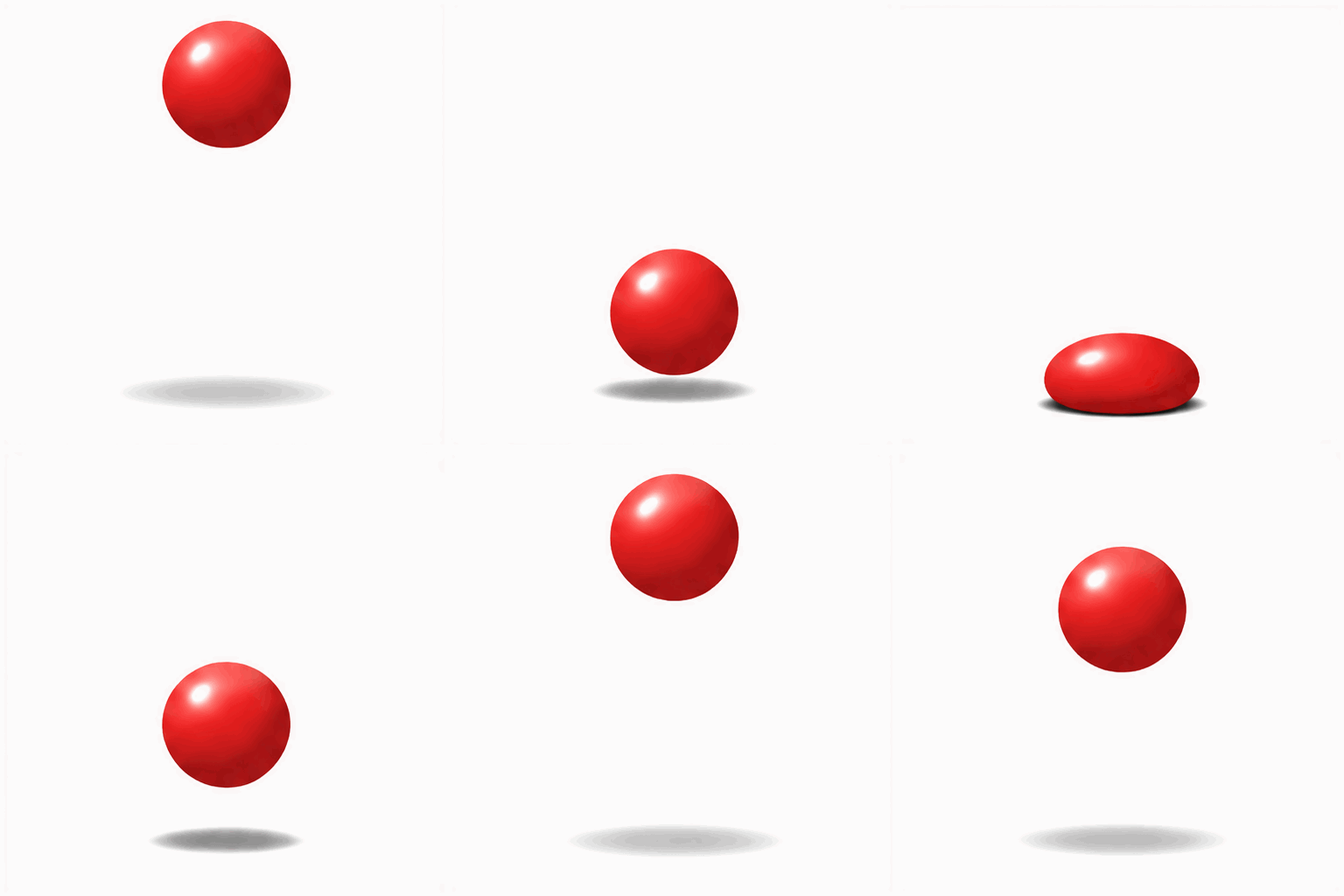
16 × 100 ms, 512 px
Our judgment. The app's ball and both 9-frame API balls bounce cleanly. At 16 frames, Sunburst shows clear squash and stretch on impact. Flare turned the ball into a basketball and bounced it unevenly.
Loops
We asked for a paper boat at dusk that "loops seamlessly."

12 × 150 ms, 356 px
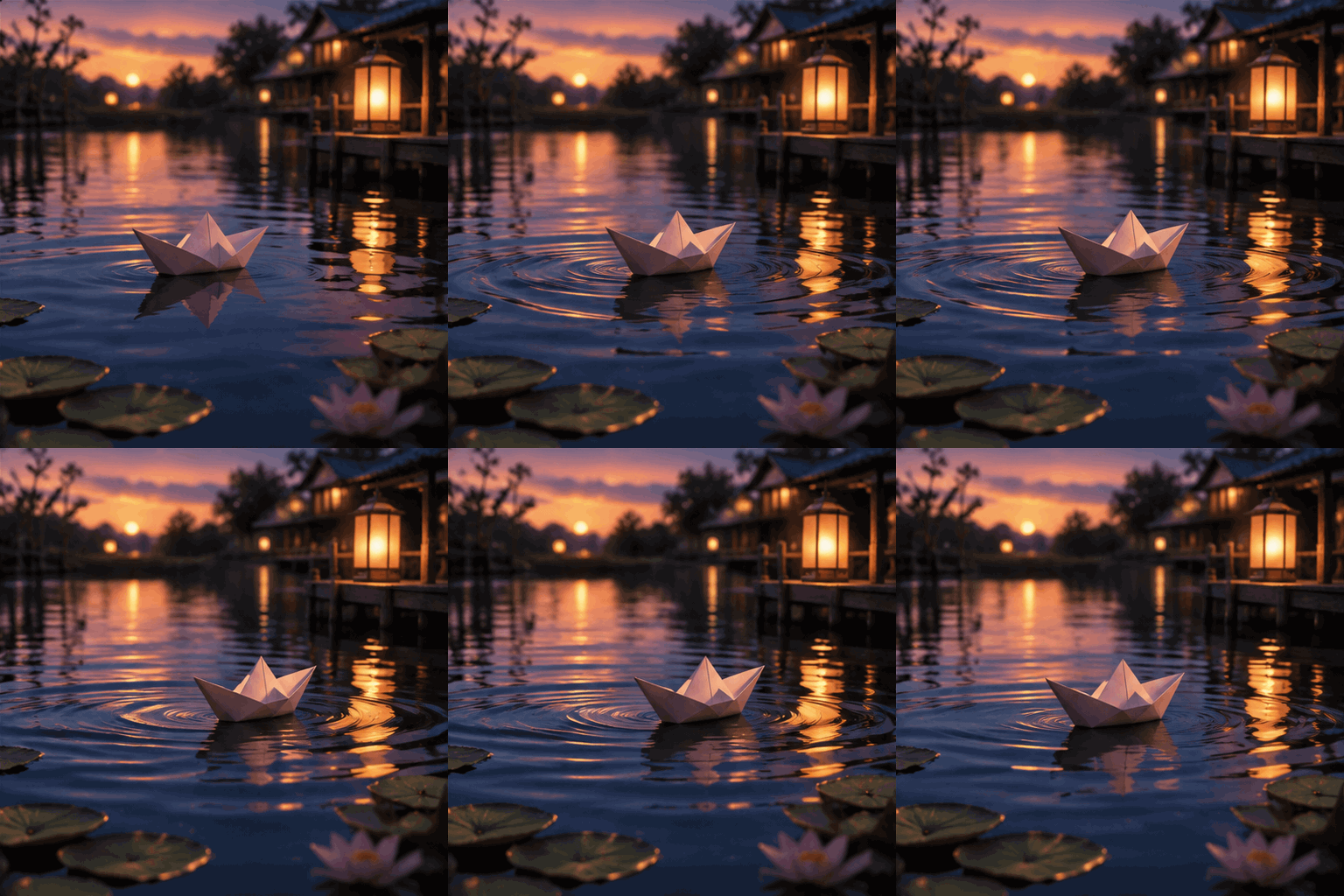
9 × 200 ms, 512 px

9 × 200 ms, 512 px
What we measured. For each GIF we compared the difference between the last and first frames with the average difference between neighbouring frames. If they are similar, the join is invisible. The app and Flare met that test. Sunburst came close. Every GIF from both surfaces, on every prompt, was set to loop forever.
Our judgment. All three kept the boat steady with spreading ripples and a shimmering reflection, and added no text. Each picked its own scenery: the app a dark lantern-lit pond, Flare an orange sunset with lotus flowers, Sunburst a blue dusk with cherry blossom we did not ask for.
Character consistency
We asked for "a red fox wearing a yellow raincoat with a silver zip" who "walks left to right past a bus stop in the rain, then turns and looks at the camera," with "exactly one umbrella, held in the fox's left paw."
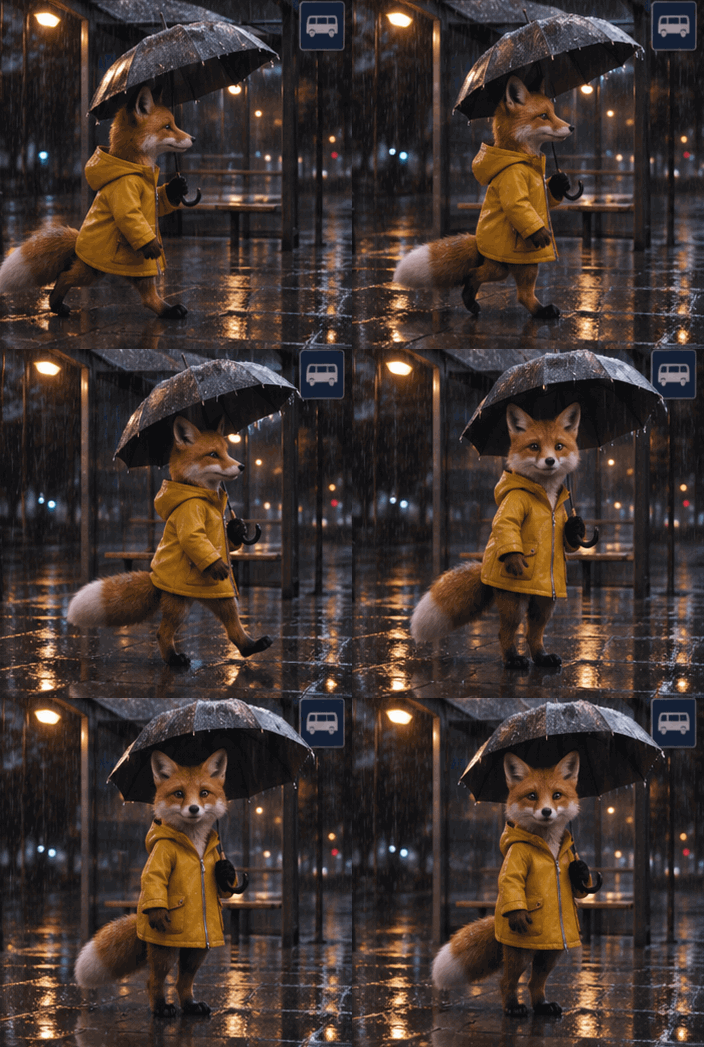
12 × 160 ms, 352 px
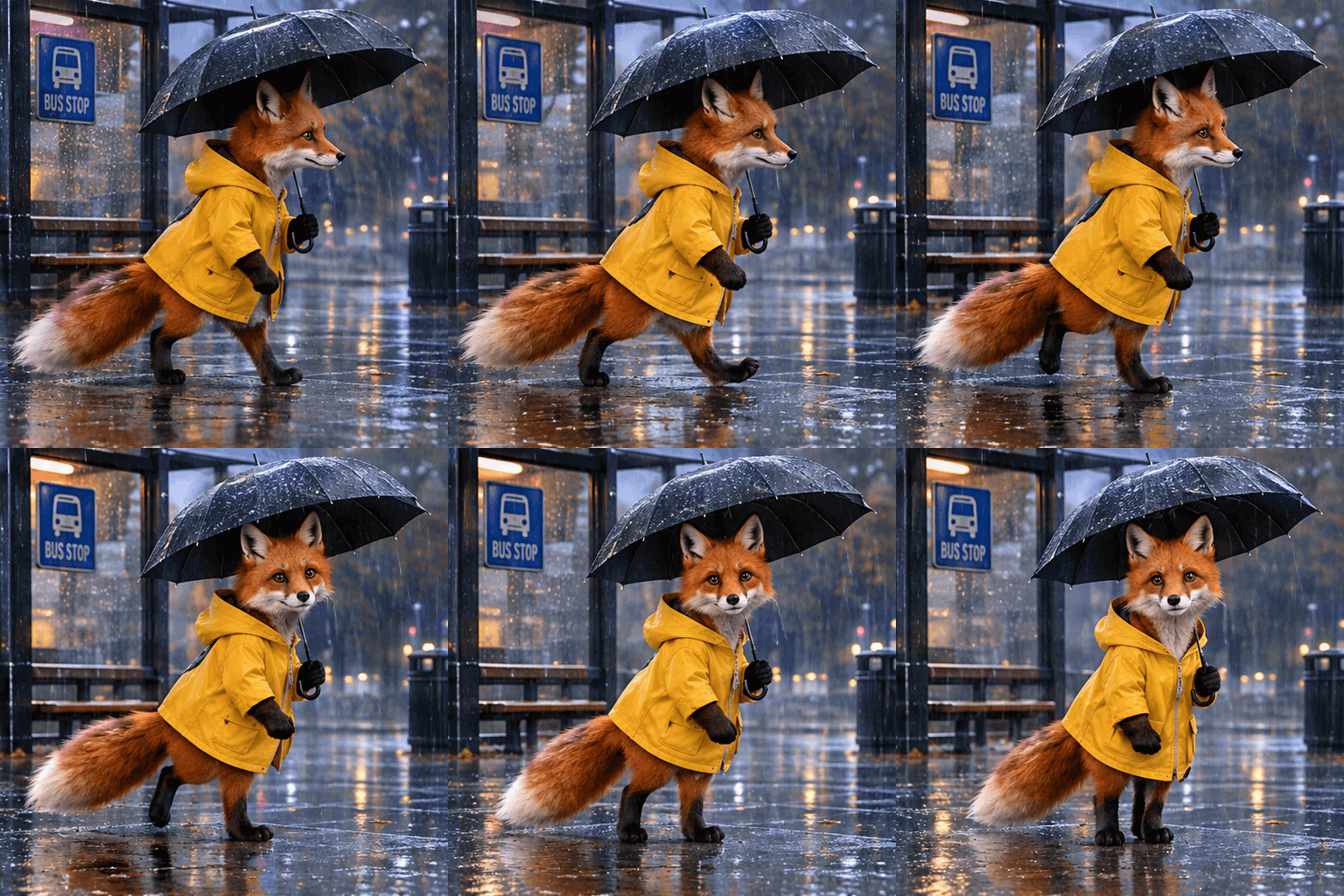
9 × 200 ms, 512 px
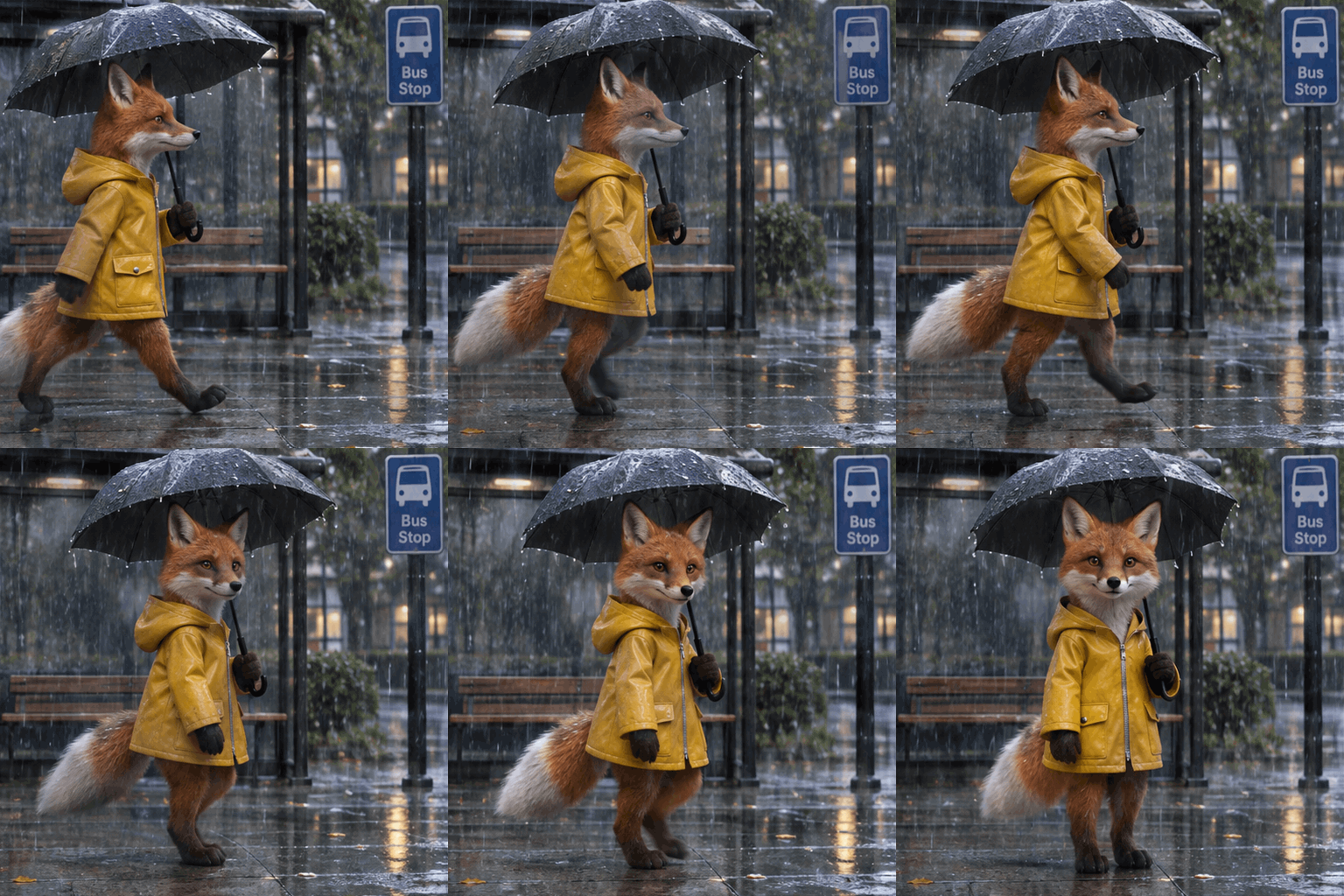
9 × 200 ms, 512 px
Our judgment. All three kept the same fox, coat and single umbrella in every frame. None followed the action: the fox walks in place and turns to the camera rather than walking past the bus stop. At these sizes we cannot tell which paw holds the umbrella, or confirm a silver zip.
Busy scenes
We asked for "a crowded night market" with steam, people walking both ways and "fireworks bursting overhead every few frames," keeping "the stall signs readable."
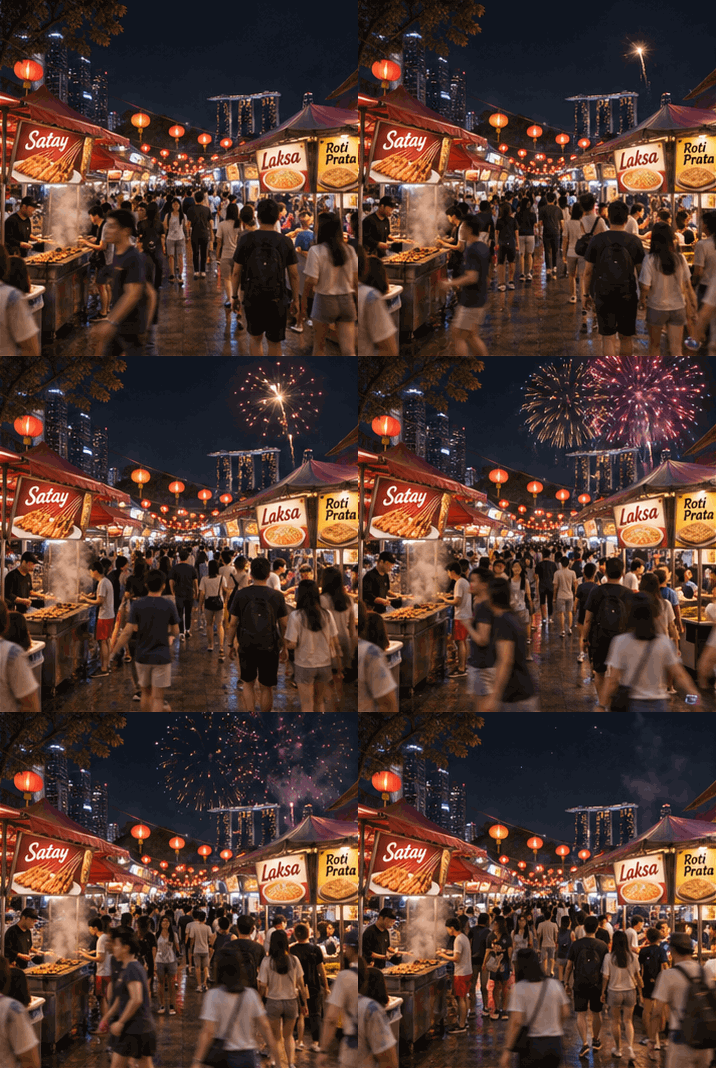
12 × 180 ms, 358 px
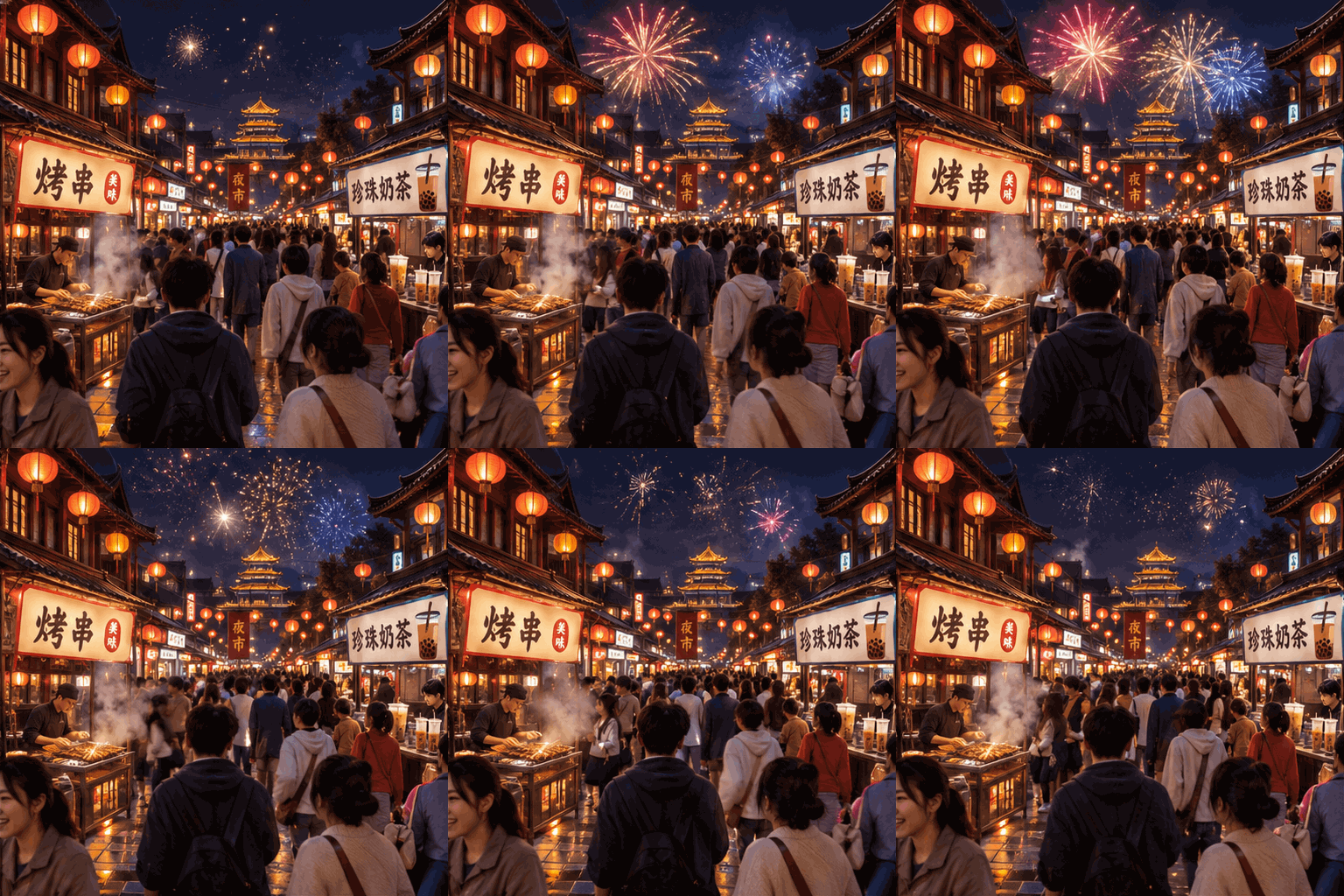
9 × 200 ms, 512 px
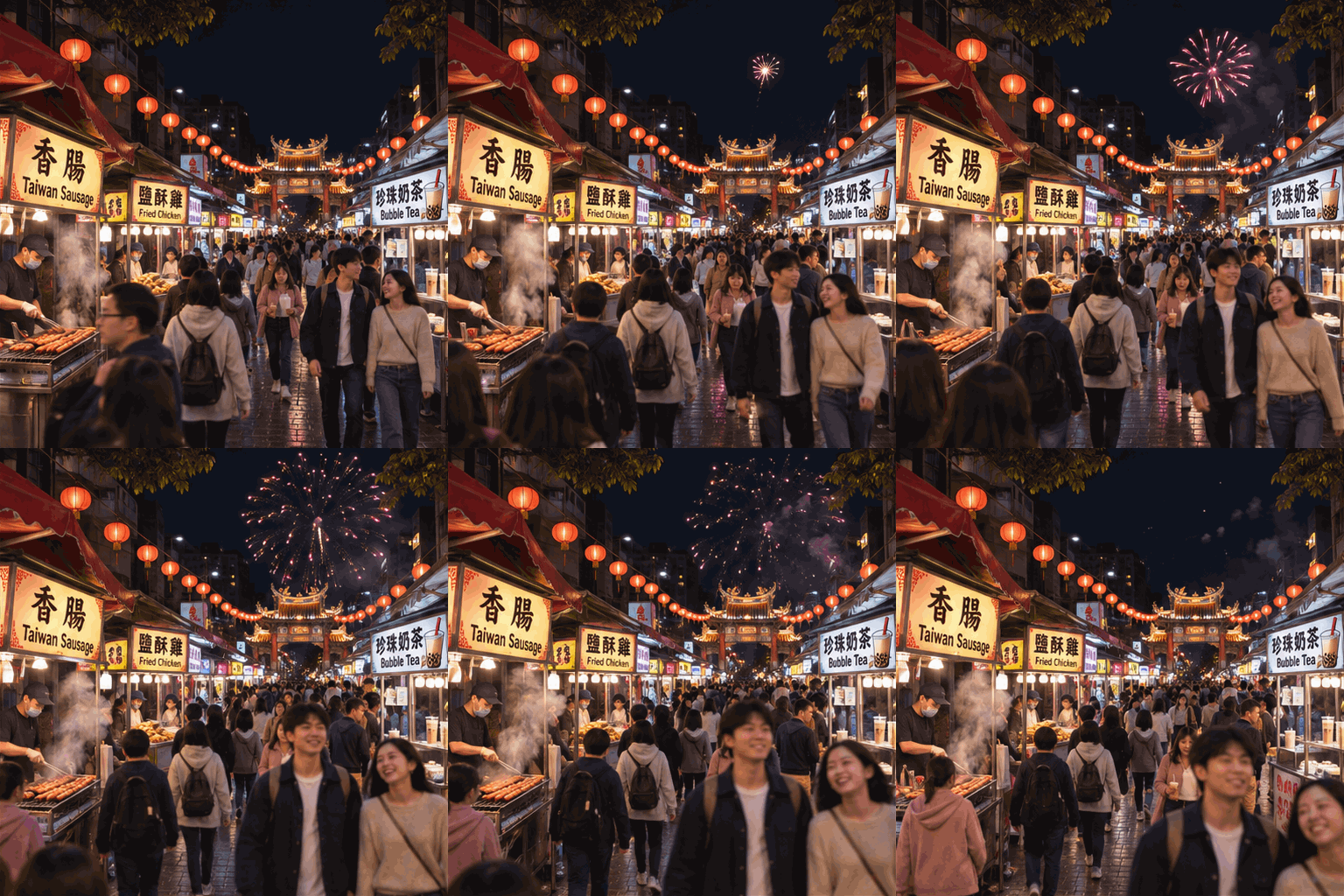
9 × 200 ms, 512 px
Our judgment. The stall signs stayed readable and unchanged on all three. The app chose Singapore-style English signs ("Satay", "Laksa", "Roti Prata"). Both API models chose Chinese-language signs, and Sunburst added English subtitles. Sunburst's crowd visibly walks toward the camera. Flare's barely moves, but it shows fireworks in every frame. In the app's version, small faces blur at this size but do not visibly melt.
Logo animation
In the app we attached our own logo and asked for "a gentle 2-second looping motion" that keeps "the logo's exact colors, shape and proportions." The API's GIF output cannot take a reference image, so for Flare and Sunburst we described the logo in words instead.
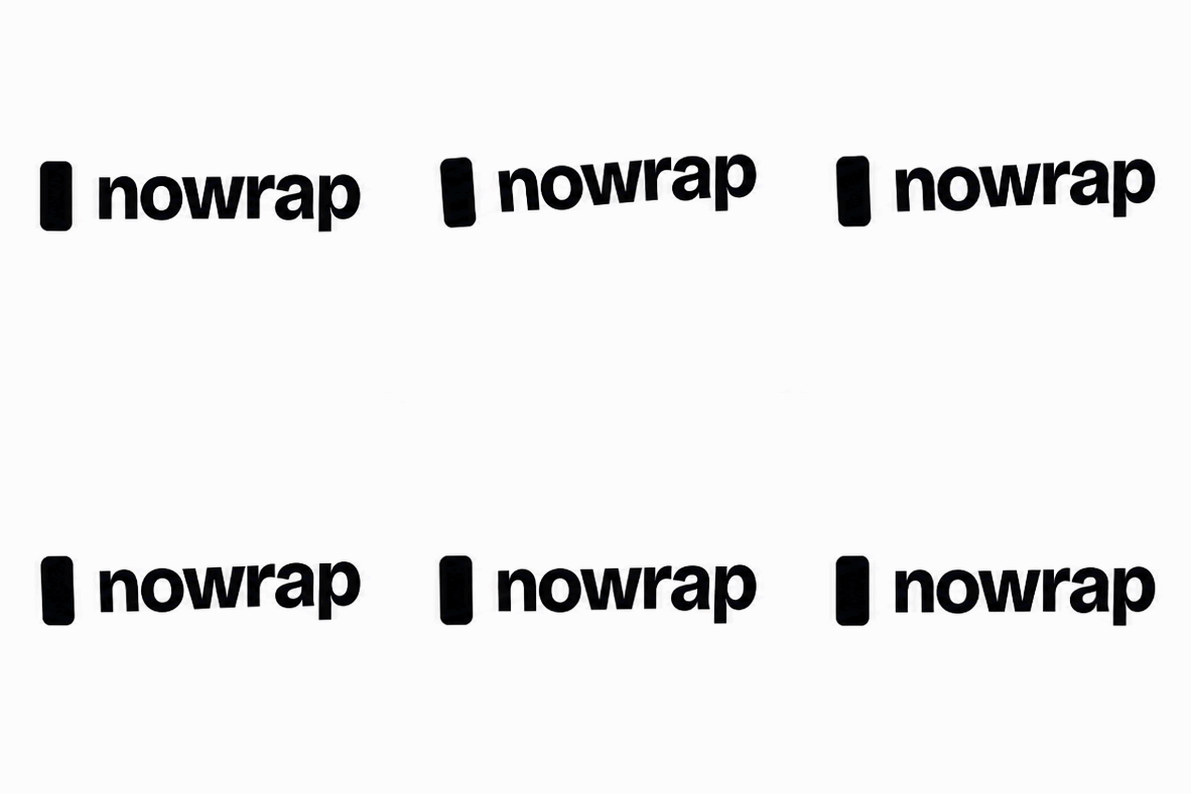
10 × 200 ms, 397 px
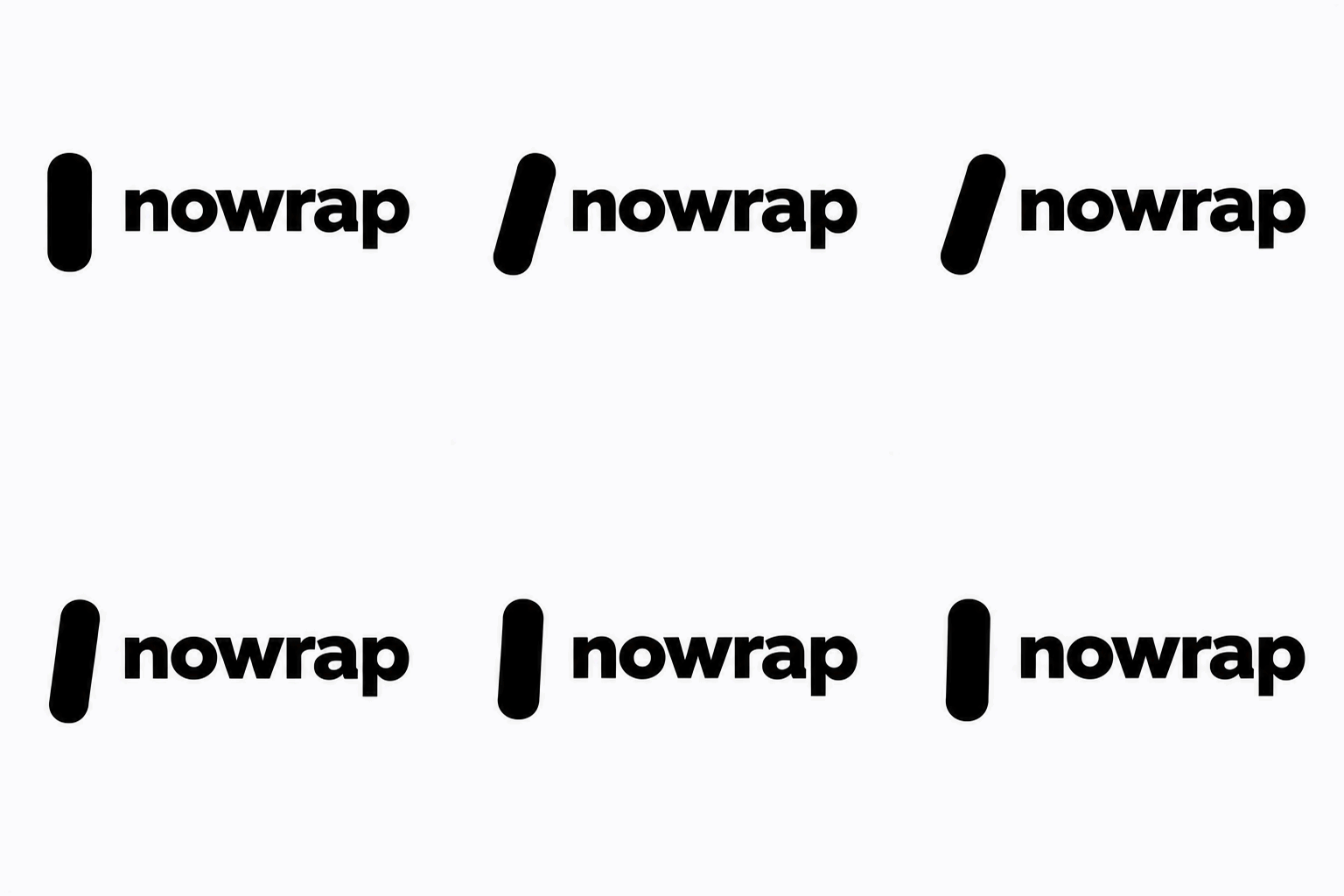
9 × 200 ms, 512 px
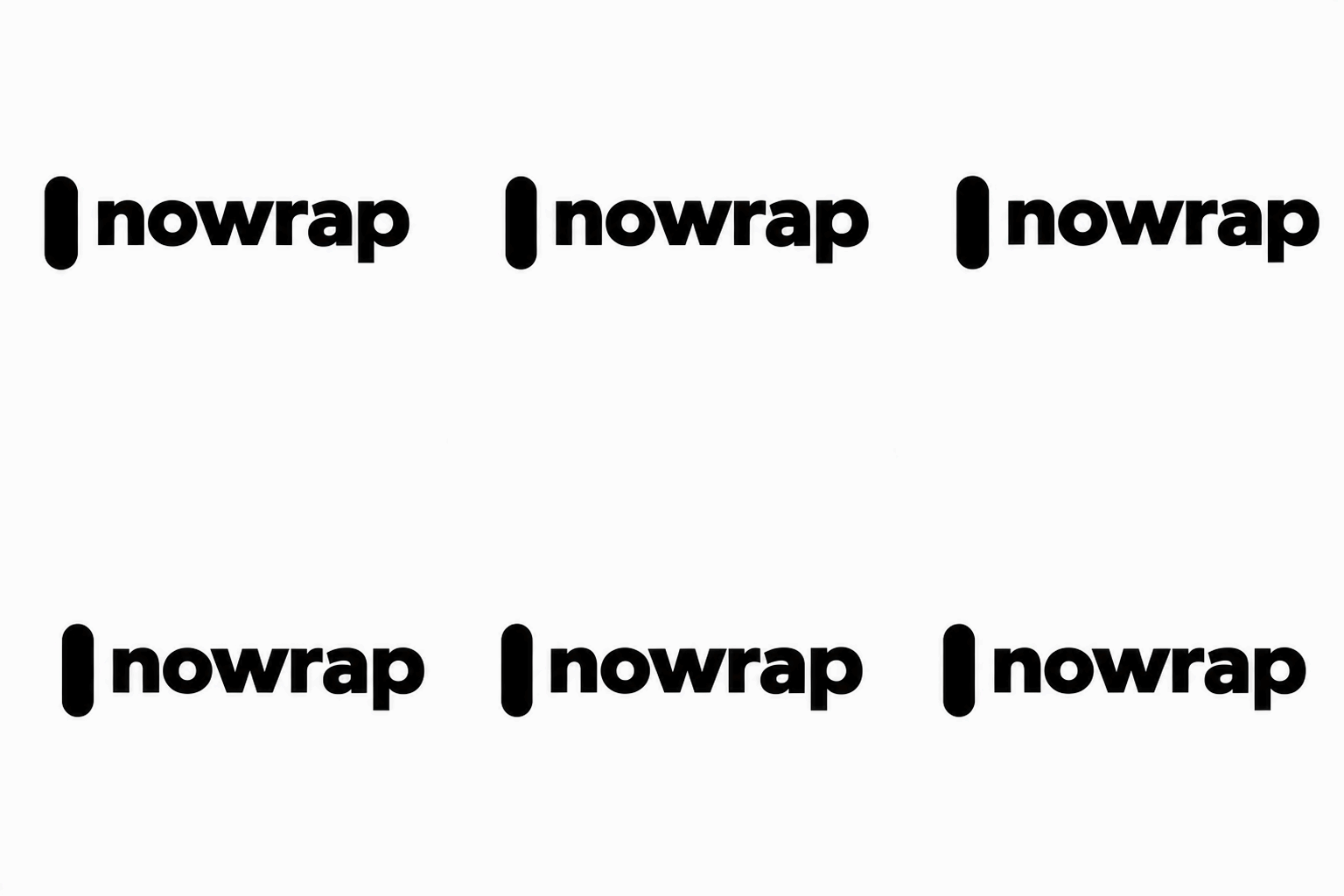
9 × 200 ms, 512 px
What we measured. We compared the width of the word with the height of the bar. The original measures 3.76, and the app's version 3.73. Sunburst's measured 3.36 to 3.44, and Flare's 2.32 to 2.38, because it drew the bar far too tall.
Our judgment. The app, which had the actual image, kept the logo closest. This was not a fair contest: our written description called the bar a fully rounded pill, while the original has smaller corners, and both API models followed our description. Sunburst barely moves; Flare swings the bar from side to side.
The API in numbers
| API Flare | API Sunburst | |
|---|---|---|
| Seconds per GIF (default settings) | 10 to 18, average 14 | 21 to 57, average 35 |
| Cost per GIF | $0.06 to $0.25, average $0.095 | $0.06 to $0.11, average $0.085 |
Output size with size: auto |
512 × 512 | 512 × 512 |
| Default frames | 9 × 200 ms | 9 × 200 ms |
- Price behaves in steps. Output tokens fell into a few fixed amounts (for 9 frames: 2,073, 2,511, 3,683 or 8,287), and the same prompt often cost exactly the same on both models. One Flare GIF, the night market, cost $0.25, three to four times the usual.
- The
complexitysetting (low, medium or high, default high) did not change the price. Low was 6 to 8 seconds faster in all four of our comparisons, which is a hint, not a finding, at one run each. - SVG output requires an
svg.modelsetting that OpenAI's guide does not mention. Without it, the API returns "SVG generation requires 'svg.model'." Both models returned a file under 600 bytes: a rounded rectangle plus live text in a system font. It is a sketch to redraw, not a logo you can ship. - In total, our 31 API calls cost $1.98 by our count. One call that timed out returned no usage data, so it may have been billed on top.
Which one to use
- For most people, use the ChatGPT app. It accepts a reference image, follows frame counts you write in plain words, and went past the API's 16-frame ceiling in our test. The quality per prompt was comparable to the API's.
- For developers, or anyone who needs repeatable output, use the API. You get exact frame counts and timing, a fixed size, clearly more accurate charts, and a price of roughly 6 to 25 cents per GIF.
- Between the API models: Flare was about 2.5 times faster for a similar price and suits iteration. Sunburst was slower but gave cleaner sign changes, more natural crowd movement and better squash and stretch.
What we could not confirm
- Plan availability. OpenAI's ChatGPT image documentation had not been updated for GIFs when we tested, and says only that image availability depends on your plan. We tested on Plus. We have not confirmed GIFs on Free or Go, so we list the pricing as paid.
- Which model the app uses. ChatGPT does not say, and the app's results differ from the API's (smaller sizes, its own frame counts). Do not assume the app runs Flare or Sunburst.
- App speed and the app's frame ceiling. We did not time the app, and we did not test it beyond 24 frames.
How we tested
- When and where: November 5, 2026. ChatGPT Plus in a web browser for the app round. OpenAI's Images API (
POST /v1/images/generationswithoutput_format: "gif") for the API round, using a project key created for this test. - Runs: One result per prompt on each surface. On the API we ran both models at default settings, plus 16-frame, low-complexity and SVG variations. Two API calls failed on network errors and were retried once, and six were rejected by the API: four frame-count requests above 16, and two SVG requests without
svg.model. - Measurements: Frame count, frame timing, dimensions, file size and loop flag were read from each GIF file. Chart heights were measured in pixels against each chart's axis.
- Prompts, word for word:
- "Create an animated GIF that loops seamlessly: a tiny origami paper boat drifting on a pond at dusk, with ripples spreading outward and a lantern reflection shimmering on the water. The last frame must flow back into the first with no visible jump. Add no text."
- "Animated GIF of a rainy street corner at night. A neon sign above a café door flickers between the words "OPEN" and "LATE" in pink and blue, with a puddle below reflecting the sign. Keep the café name "NOWRAP CAFÉ" painted on the window, spelled exactly, in every frame."
- "Animated GIF: a red fox wearing a yellow raincoat with a silver zip walks left to right past a bus stop in the rain, then turns and looks at the camera. Keep the same fox, coat, colors and proportions in every frame. Include exactly one umbrella, held in the fox's left paw."
- "Animated GIF of a clean bar chart growing in four steps. Title "Quarterly revenue ($M)". Bars labeled Q1 12, Q2 18, Q3 27, Q4 35, with each bar's height matching its number. White background, one accent color, a subtle highlight sweep at the end."
- App: our logo attached, plus "Use the attached image as the reference. Make an animated GIF that keeps the logo's exact colors, shape and proportions, with a gentle 2-second looping motion. Don't change or add any text." API: the logo described in words, with the same instruction.
- "Animated GIF of a crowded night market: lantern-lit stalls, steam rising from food carts, people walking in both directions, and fireworks bursting overhead every few frames. Maintain a consistent art style and keep the stall signs readable."
- "Make a simple 24-frame GIF of a bouncing ball, each frame 100 ms, on a plain background."